PT1 Junior Penetration Tester (TryHackMe) – Review 🚀
Introduction
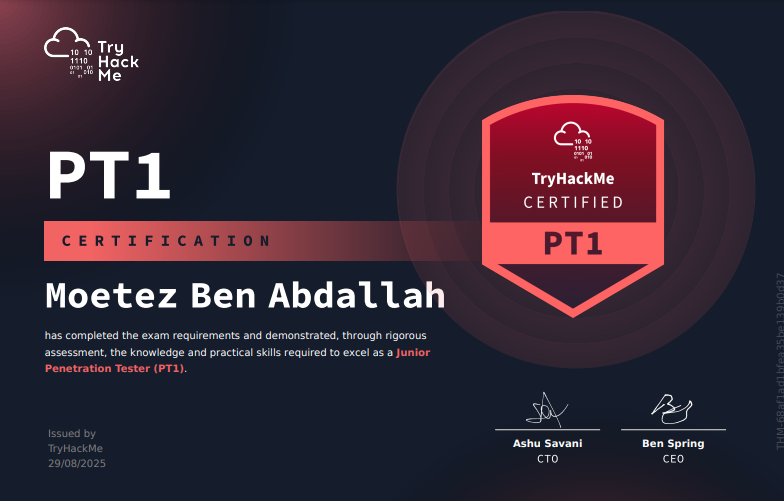
Hey everyone! I recently passed the TryHackMe PT1 (Junior Penetration Tester) certification exam, and I wanted to share my review on it. As someone who’s been diving into cybersecurity and penetration testing, this was a great hands-on challenge. I got my exam slot through a giveaway (I already had the eJPT), so I didn’t pay for it this time. In this post, I’ll cover what PT1 is, the exam structure, my personal experience, the difficulties I faced in each section, pros and cons, and whether I think it’s worth the price. Spoiler: It was a solid experience, but not without its hurdles.
What is PT1?
PT1 is TryHackMe’s hands-on Junior Penetration Tester certification. It’s designed to test practical skills in web exploitation, network penetration testing, and Active Directory attacks. Unlike some certs that come with a full course, PT1 recommends their learning paths like the Junior Penetration Tester path, Web Fundamentals, and Active Directory Fundamentals. There are also plenty of practice rooms on the platform to hone your skills. The exam costs $297, which includes a free retake and a three-month subscription to TryHackMe.
Exam Structure
The exam is a 48-hour hands-on challenge where you simulate a real penetration test. It’s divided into three main sections:
- Web Application Penetration Testing: Worth 400 points (40%), with 4 flags to capture. Focuses on finding and exploiting vulnerabilities in a web app.
- Network Penetration Testing: 360 points (36%), involving 2 machines (likely one Linux and one Windows) with 4 flags total.
- Active Directory Penetration Testing: 240 points (24%), with 2 flags across a workstation and Domain Controller.
You need at least 750/1000 points to pass. Each section has its own Rules of Engagement, scope, and summary. After exploiting, you submit flags and write a structured report for each part right on the TryHackMe dashboard. The reports get graded by AI, which provides quick feedback.
My Personal Experience
I started the exam on a weekend to give myself plenty of time. I had prepared using the recommended paths and some extra rooms on TryHackMe, plus a bit of practice on HackTheBox for variety. I tackled the network section first since it felt most straightforward, then moved to AD, and saved web for last because I knew it might be tough.
Overall, I spent about 20–25 hours actively working on it, spread over the two days. I managed to get 9/10 flags – all in network and AD, but missed one in web due to time and frustration. The reporting was straightforward once I got the hang of the template, but make sure to include screenshots, commands, and clear explanations. AI grading was fast, and the feedback helped me refine my submission.
One tip: keep notes and checklists ready. I used Notion for quick references on common exploits and commands. Also, don’t hesitate to use AI tools like ChatGPT for brainstorming ideas — they can speed up your thought process (just don’t use them to bypass exam rules).
Difficulty Levels
Based on my experience:
- Network: Easy. The machines were like entry-level CTFs – basic enumeration, exploit a service for initial access, then privilege escalation. If you’ve done easy rooms on TryHackMe or HTB, you’ll breeze through it. I finished this in under 2 hours.
- Active Directory: Easy but tricky. Initial access to the workstation was straightforward, but getting to the Domain Controller involved some clever pivoting and tool usage that caught me off guard at first. It felt a bit CTF-y, and I spent about 4–5 hours here debugging issues with tools like BloodHound and Mimikatz. Once I figured out the trick, it clicked.
- Web: Hard. The app had multiple vulnerabilities that required deep enumeration and testing. I dealt with things like IDOR, XSS, and maybe some race conditions or SQLi — it varies per attempt. I struggled with one flag that needed precise exploitation, and the dynamic nature meant no walkthroughs to rely on. Took me the longest, around 10–12 hours, and I still missed one.
The exam’s randomized elements make it replay-resistant, which is good for credibility but means preparation needs to be broad.
Pros
- Hands-On and Realistic: It simulates a real pentest engagement, from scoping to reporting. Great for building practical skills.
- AI Grading: Instant feedback is awesome — no waiting weeks for results.
- Comprehensive Coverage: Covers web, network, and AD, giving a well-rounded junior-level experience.
- Included Subscription: The three-month access to TryHackMe is a nice bonus for continued learning.
Cons
- Variable Difficulty: Since vulnerabilities are randomized, some attempts might be easier or harder, which could feel unfair.
- Reporting Limitations: It’s all on the dashboard, no option to export a full PDF report like in real engagements.
- Support: If you hit a snag (like I did with a flag format), email support can be slow – better than nothing, but not instant.
- Prep Path Gaps: The recommended paths are good, but you might need external resources for deeper AD or web practice. I personnaly used some HackTheBox machines to garantee my success.
Value for Money
At $297, it’s a bit pricier than some alternatives, but the hands-on focus and subscription make it worthwhile if you’re serious about pentesting. If you get a voucher or a giveaway (like I did), it’s a no-brainer. If you’re a beginner, it’s a strong foundation. For those with experience, it might not add as much resume value yet since it’s relatively new, but it’s still good practice and skill-building. If TryHackMe offers discounts or vouchers, definitely take them.
Conclusion
Overall, PT1 was a challenging but rewarding cert. I found network easy, AD easy but tricky, and web hard — which aligned with what I expected but still pushed me. If you’re into practical pentesting and have some TryHackMe experience, I recommend it. It’s not a “must-have” for jobs, but it’s a great way to prove your skills to yourself.
If you have questions or want tips, drop a comment below. Happy hacking!